

LEARN FACIAL BLENDSHAPES FOR CHARACTERS
START DATE:
20 MAY 2026
DURATION:
10 WEEKS TOTAL
LIVE SESSIONS:
WEDNESDAYS AT 3 PM PT
JOIN WAITLIST
10 WEEK LIVE ONLINE COURSE - 10 WEEK LIVE ONLINE COURSE - 10 WEEK LIVE ONLINE COURSE
Level Up Your Characters in 10 Weeks with Blendshapes
START DATE:
20 MAY 2026
DURATION:
10 WEEKS
LIVE SESSIONS:
WEDNESDAYS AT 3 PM PT
SKILL LEVEL:
BEGINNER/INTERMEDIATE
JOIN WAITLISTTHIS COURSE IS FOR YOU IF...
YOU’RE NEW TO BLENDSHAPES AND WANT A CLEAR WORKFLOW
If you’re a student or junior artist, this course will guide you through creating blendshapes in ZBrush and setting them up in Autodesk Maya - without diving into complex rigging, so you can understand the full process and apply it to your own characters.
YOU WANT TO BREAK INTO THE GAME OR FILM INDUSTRY
Learn the fundamentals of creating facial blendshapes, from reference and anatomy to sculpting and setup, and start building a strong foundation for character art.
YOU WANT TO EXPAND YOUR SKILLS AS A CHARACTER ARTIST
Improve your characters by learning how to sculpt believable facial shapes using anatomy and FACS-based workflows, and create more expressive, polished work.
YOUR FUTURE STARTS HERE
Bring Your Characters to Life
Facial expressions give characters personality and believability. In this course, you’ll learn how to create high-quality facial blendshapes that form the foundation for expressive characters.
Master facial anatomy and FACS-based workflows as you sculpt shapes in ZBrush, then bring them into Autodesk Maya for basic setup and testing. This hands-on training is practical and focused on doing the work—so you don’t just learn the theory, you create real, usable blendshapes.
Learn directly from Crystal Bretz, Lead Modeller at Framestore.
Crystal will guide you through professional workflows and help refine both your artistic eye and technical skills.
By the end, you’ll have a complete set of facial blendshapes and the foundational skills to create believable human and creature characters.
WHAT YOU'LL DO DURING THE WORKSHOP
HANDS-ON BLENDSHAPE PROJECTS
Practice creating facial expressions and deformations through structured exercises. You’ll sculpt blendshapes in ZBrush and bring them into Autodesk Maya for basic setup and testing, learning practical workflows used in production.
EXPERT-LED WORKSHOPS
Learn directly from Crystal Bretz, Lead Modeller at Framestore, through live sessions, demos, and guided breakdowns. Gain insights into FACS-based techniques, facial anatomy, and sculpting best practices for believable characters.
PORTFOLIO-BUILDING EXPERIENCE
Create a polished set of facial blendshapes to showcase your skills. Receive feedback to refine your work and strengthen your portfolio with practical, production-relevant pieces.
MEET YOUR INSTRUCTOR
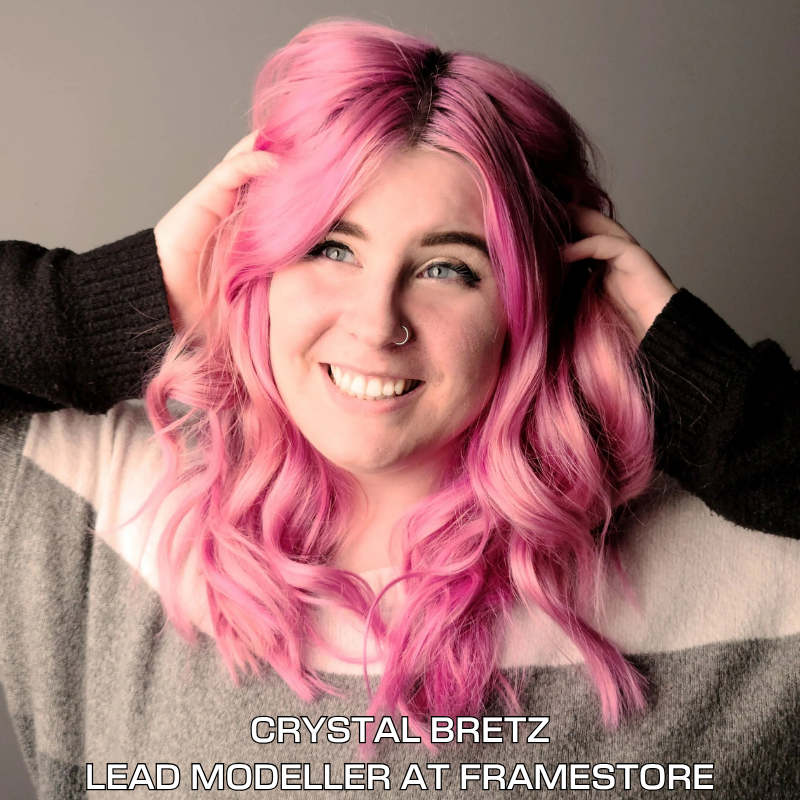
CRYSTAL
BRETZ
LEAD MODELLER AT FRAMESTORE
Brings over 11 years of expertise in the industry
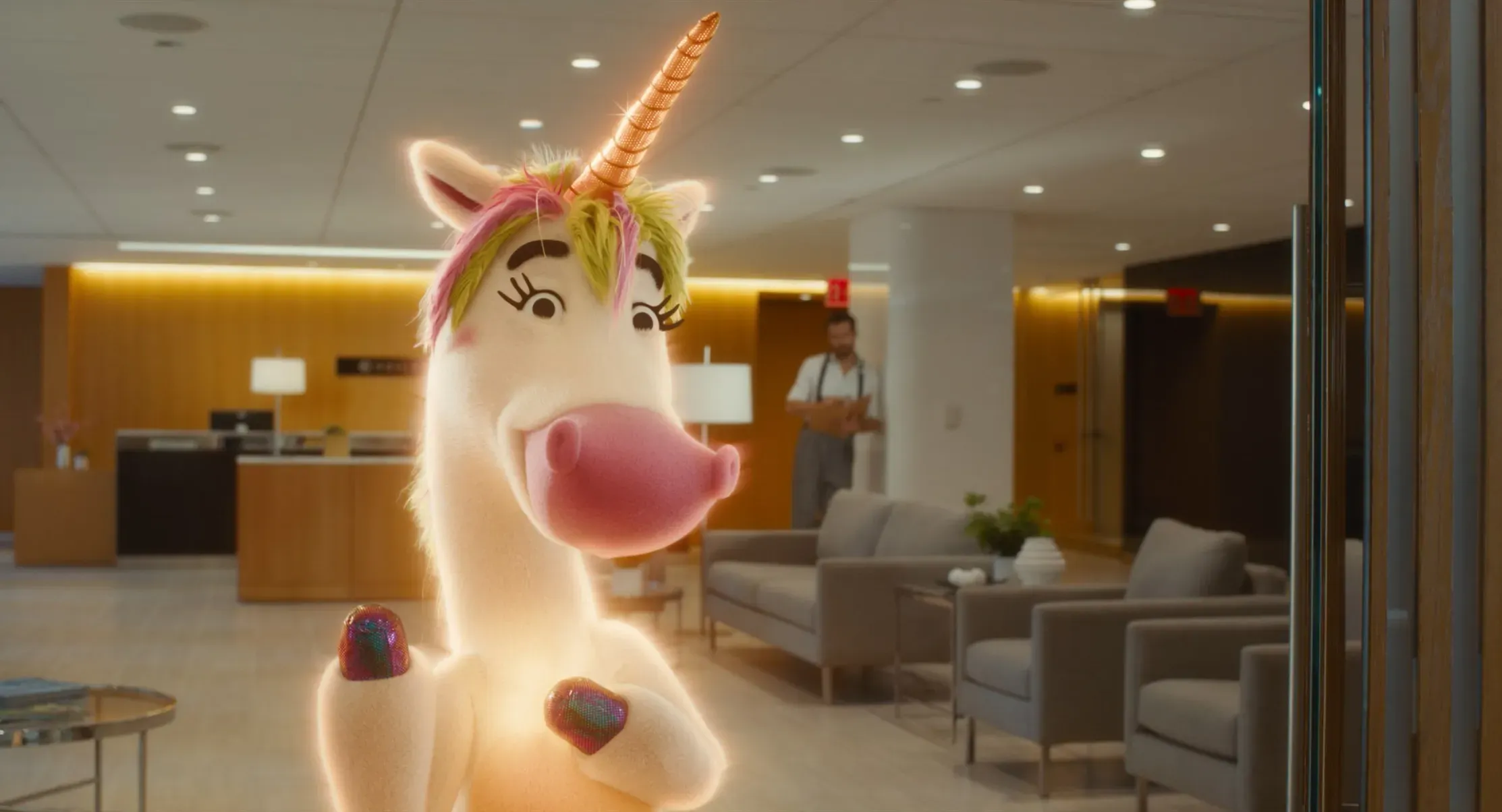
Projects she has worked on include Fantastic Beasts: The Crimes of Grindelwald, Black Panther, The Willoughbys, as well as her latest work on Superman and IF, including facial work on Krypto the Superdog.
Crystal’s expertise in character and creature modeling, along with her experience across film, TV, and real-time projects, has made her a highly respected industry professional.
In the Blendshape Workshop, she will share her hands-on knowledge of facial anatomy, sculpting, and production workflows to help artists create expressive, high-quality blendshapes and build a standout portfolio for careers in character art and technical art.
WORKSHOP SYLLABUS
REQUIRED WORKSHOP SOFTWARE: ZBrush and Autodesk Maya
*Head mesh will be provided
LESSON 1
Understanding Blendshapes / Reference gathering
LESSON 1
Understanding Blendshapes / Reference gathering
LESSON 2
Eye Shapes - Zbrush
LESSON 2
Eye Shapes - Zbrush
LESSON 3
Brow Shapes - Zbrush
LESSON 3
Brow Shapes - Zbrush
LESSON 4
Mouth Shapes Part 1 - Zbrush
LESSON 4
Mouth Shapes Part 1 - Zbrush
LESSON 5
Mouth Shapes Part 2 -Zbrush
LESSON 5
Mouth Shapes Part 2 -Zbrush
LESSON 6
Nose Shapes - Zbrush
LESSON 6
Nose Shapes - Zbrush
LESSON 7
Additional Shapes - Zbrush
LESSON 7
Additional Shapes - Zbrush
LESSON 8
Exporting Key Shapes to Maya and Creating Combo Shapes
LESSON 8
Exporting Key Shapes to Maya and Creating Combo Shapes
LESSON 9
Using Shapes to Create Expressions in Maya
LESSON 9
Using Shapes to Create Expressions in Maya
LESSON 10
Applying Human Shape Logic to a Creature
LESSON 10
Applying Human Shape Logic to a Creature




What's the cost?
Pay in installments or pay in full
Those in the USA can select Pay in full to pay in 4 interest-free payments through Klarna or Afterpay.
Pay in full
$898 $808.20
BEST PRICE
3 monthly payments
$330 $297
BILLED MONTHLY
FREQUENTLY ASKED QUESTIONS
Are there any live lessons?
Are there any live lessons?
What software and hardware do I need?
What software and hardware do I need?
What is the refund policy?
What is the refund policy?
How long will I have access to the intensive?
How long will I have access to the intensive?
How do I receive project feedback?
How do I receive project feedback?
Do I get a certificate of completion?
Do I get a certificate of completion?
NEED MORE INFO?
We're happy to answer any questions you may have! To schedule a call with a team member, please submit the form below.